Follow along with the video below to see how to install our site as a web app on your home screen.
Note: This feature may not be available in some browsers.
This board is now closed. The Blackhole image ended in 2020.
The board will remain available in Read Only Mode, so all the posts from the last 15+ years are not lost.
We thank you for being part of the community for the last 15+ years.
You can join the OpenBh board if you have not already done so at www.openbh.net.
I am having problems accessing my network drives on OpenBh 5.
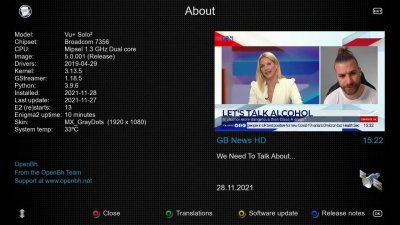
I have done a clean install of OpenBh 5 on both my boxes (Vu+Solo2 and Vu+Uno4k). Installed in flash and running in OpenMultiboot (OMB). I am able to see the drive when it scans in network neighbourhood but as soon as I select the drive the box locks up. Same happens on both boxes.
No problems accessing the network drives when I boot into my saved image OBH 4.4 on OMB.
Do not use the blue button > Explorer and network assemblies - Go to Settings > Network and Internet> Manage Mounting> Add New Mounting Point - Enter the values manually.
Using the manual method (thanks p.rodrigues) I was able to create 'NFS' mounts. However, I am still unable to create 'CIFS' mounts. System does not recognise CIFS for some reason.
In OBH 4.4 the way network mounts were handled seemed different.
I'll keep trying. Maybe future online updates will produce success for me.
I managed to add the CIFS drives eventually.
It worked when I put in the username/password for the drive in the 'Mounts Editor'. For some reason it didn't work when I originally put them in Mount Manager/User Management.
In OBH 4.4 it was easier using Network Neighbourhood but in OBH 5 the box freezes when I use that.
In OBH 4.4 it crashes (or, at least, it did some times ago) if you directly try to give the user/pwd and it only works specifying them along with the mount creation.
This site uses cookies to help personalise content, tailor your experience and to keep you logged in if you register.
By continuing to use this site, you are consenting to our use of cookies.