Follow along with the video below to see how to install our site as a web app on your home screen.
Note: This feature may not be available in some browsers.
This board is now closed. The Blackhole image ended in 2020.
The board will remain available in Read Only Mode, so all the posts from the last 15+ years are not lost.
We thank you for being part of the community for the last 15+ years.
You can join the OpenBh board if you have not already done so at www.openbh.net.
I was trying to enable file history feature of windows 8.1 and I want to copy the files to the hard disk mounted on my VuUno with Blackhole 2.1.4, but I receive an error "the system cannot find the file specified".
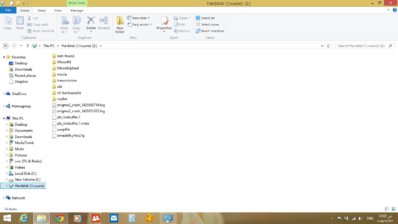
The hard disk is mounted and I can view it in file explorer of windows 8.1
Any ideas
I was trying to enable file history feature of windows 8.1 and I want to copy the files to the hard disk mounted on my VuUno with Blackhole 2.1.4, but I receive an error "the system cannot find the file specified".
The hard disk is mounted and I can view it in file explorer of windows 8.1
Any ideasView attachment 19164
To set up a drive for File History
If you're going to use a new external drive, connect it to your PC. If you see a notification asking if you want to configure the drive for File History, tap or click it, and then turn on File History on the screen the appears.
Otherwise, follow these steps to choose either a network drive or an external drive that’s already connected to your PC.
Swipe in from the right edge of the screen, and then tap Search.
(If you're using a mouse, point to the lower-right corner of the screen, move the mouse pointer up, and then click Search.)
Enter File History settings in the search box, and then tap or click File History settings.
Tap or click Select a drive, and choose the network or external drive you want to use.
Turn on File History.
Note
If the network drive you want isn’t in the list of available drives, tap or click Show all network locations. If the drive you want isn’t listed there either, open File History in Control Panel, tap or click Add a network location, and follow the instructions on the screen.
This site uses cookies to help personalise content, tailor your experience and to keep you logged in if you register.
By continuing to use this site, you are consenting to our use of cookies.