
Install the app
How to install the app on iOS
Follow along with the video below to see how to install our site as a web app on your home screen.
Note: This feature may not be available in some browsers.
This board is now closed. The Blackhole image ended in 2020.
The board will remain available in Read Only Mode, so all the posts from the last 15+ years are not lost.
We thank you for being part of the community for the last 15+ years.
You can join the OpenBh board if you have not already done so at www.openbh.net.
You are using an out of date browser. It may not display this or other websites correctly.
You should upgrade or use an alternative browser.
You should upgrade or use an alternative browser.
How to control vu+ zero and uno 4k se both in one room.
- Thread starter dhnj
- Start date

nunigaia
Moderator
Hi
I have a vu+ zero and uno 4k se both in one room.
When I use the zero or uno remote control the
signal is picked by both units. Can you limit the
zero remote signal is not picked up by the uno
and vice versa.
Best regards
You must set one of the remote controls to another remote control code.
By default you have both remotes with 0002 code ... you can set the remote control of zero per example as ( 0003 ).
1) Turn off the UNO4k ...
2) Set the remote control of ZERO to 0003, by:
1. Press 2 and 7 for three seconds until LED is on.
2. Press HELP
3. Press <0003>
After 3 blinks the RCU should be setted to code 0003.
Use now the UNO4K remote control and under plugins ... change the "remote control code" ... from 2 to 3...
After set it to 3 ... save this setting by using the "zero remote control to keep this settengs".
Now you should have one command to control UNO4K and other to control ZERO separately.
best regards
nunigaia

 First the receiver, then the remote control.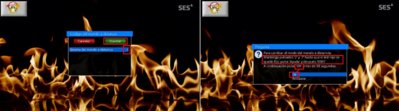
Many thanks for your quick feedback.You must set one of the remote controls to another remote control code.
By default you have both remotes with 0002 code ... you can set the remote control of zero per example as ( 0003 ).
1) Turn off the UNO4k ...
2) Set the remote control of ZERO to 0003, by:
1. Press 2 and 7 for three seconds until LED is on.
2. Press HELP
3. Press <0003>
After 3 blinks the RCU should be setted to code 0003.
Use now the UNO4K remote control and under plugins ... change the "remote control code" ... from 2 to 3...
After set it to 3 ... save this setting by using the "zero remote control to keep this settengs".
Now you should have one command to control UNO4K and other to control ZERO separately.
best regards
nunigaia
Now each RC controls only one box, but in reverse order.
The zero RC controls uno box & uno RC controls zero box.
Is there a way to assign the right RC to the right box.
Best regards
nunigaia
Moderator
Many thanks for your quick feedback.
Now each RC controls only one box, but in reverse order.
The zero RC controls uno box & uno RC controls zero box.
Is there a way to assign the right RC to the right box.
Best regards
It depends how you set your Remote Control and STB ...
You can reverse it ...
Uno4K .... code 3
Zero ....... code 2
or vice-versa
Uno4K .... code 2
Zero ....... code 3
Do it as you want!

best regards
nunigaia