This board is now closed. The Blackhole image ended in 2020. The board will remain available in Read Only Mode, so all the posts from the last 15+ years are not lost. We thank you for being part of the community for the last 15+ years. You can join the OpenBh board if you have not already done so at www.openbh.net.

Last update broke openwebif

pjbg

Vu+ Newbie
Last night I received an update on my Duo², and after the update openwebif it's not working, with the consequences of not being able to use the Vu+ app for Android, or the Enigma2 plugin for Kodi.
It was working well before the update. I can't connect via browser too... Any quick fix until next update?
 
Last night I received an update on my Duo², and after the update openwebif it's not working, with the consequences of not being able to use the Vu+ app for Android, or the Enigma2 plugin for Kodi.
It was working well before the update. I can't connect via browser too... Any quick fix until next update?

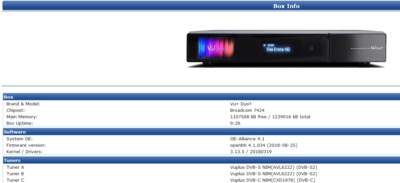
No problem here:

upload_2018-8-27_22-41-42.png

best regards
nunigaia
 
Last night I received an update on my Duo², and after the update openwebif it's not working, with the consequences of not being able to use the Vu+ app for Android, or the Enigma2 plugin for Kodi.
It was working well before the update. I can't connect via browser too... Any quick fix until next update?

Please, explain more:

Are you using the Flash Memory?

best regards
nunigaia
 
Well, after doing a new update from the previous backup, it's still working... I guess something went wrong in the first time...
Anyway, thanks for your feedback.
 
Well, after doing a new update from the previous backup, it's still working... I guess something went wrong in the first time...
Anyway, thanks for your feedback.

Glad that you have solved your issues :)

best regards
nunigaia
 
I have issue now after OpenBH 4.1.035 update
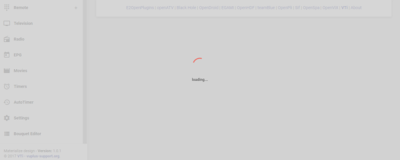
I can enter Openwebif page but I can't cotrol anything just word Loading
screenshoot.PNG
 
is not browser problem I try it on my PC by different browsers and on my android phone's two different browsers. give the same result
 
Just tried it again, using Firefox browser, with both Ghostery, and Adblocker, on Windows 10 PC, and it still works. I'm using Ethernet cables not WiFi.
Just typed my receivers IP Address, and have full access, turned on my receiver and even started viewing a channel.
Either it's your router set up, blocking it, or the update didn't work correctly, in which case you might have to re-flash your receiver and start again.
 
Back
Top