
Install the app
How to install the app on iOS
Follow along with the video below to see how to install our site as a web app on your home screen.
Note: This feature may not be available in some browsers.
This board is now closed. The Blackhole image ended in 2020.
The board will remain available in Read Only Mode, so all the posts from the last 15+ years are not lost.
We thank you for being part of the community for the last 15+ years.
You can join the OpenBh board if you have not already done so at www.openbh.net.
You are using an out of date browser. It may not display this or other websites correctly.
You should upgrade or use an alternative browser.
You should upgrade or use an alternative browser.
LCD4Linux Config OBH Vu Duo 4K
- Thread starter kadehte
- Start date

nunigaia
Moderator
Open BlackHole 4.2.014
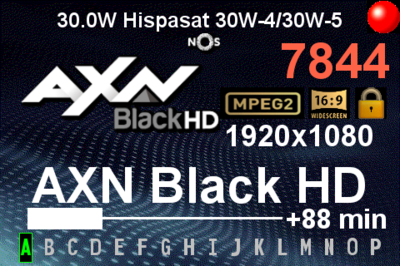
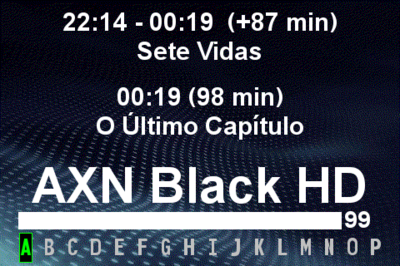
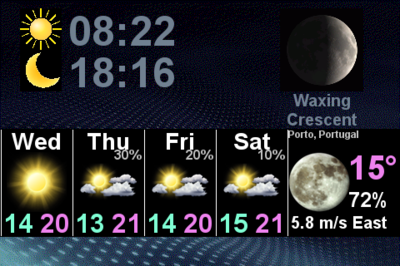
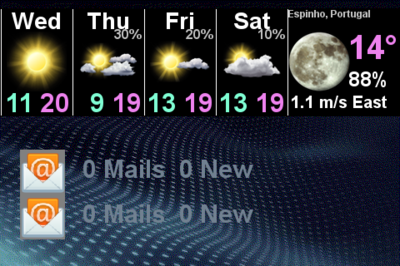
Lcd4Linux config files for Open BlackHole 4.2.04 ( Vu+ Duo4K )
Note: As Solo4k has the same LCD size ( 480x320 ), this config files might working on this Vu+ Model too.
Some Screen Shots:
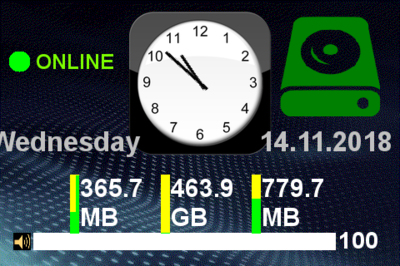
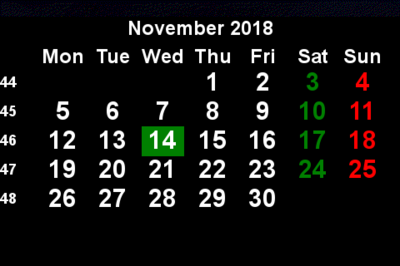
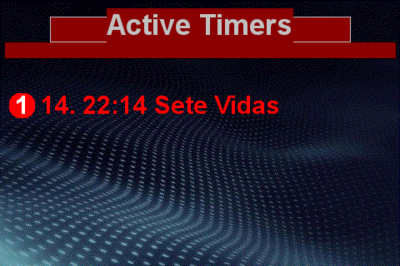
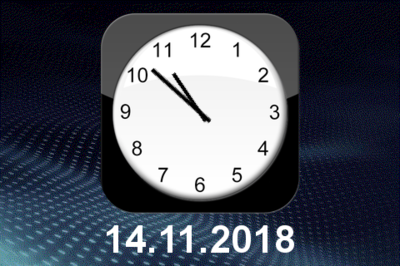
HowTo:
After that "restart your Vu+ Duo4k", or if needed reboot it.
If not brings up LCD4Linux to yours LCD Duo4K display, go to plugins and search for Lcd4Linux plugin, that you might install before uploading the 2 files to your STB, and set it from "NO" to "YES".
best regards
nunigaia
Lcd4Linux config files for Open BlackHole 4.2.04 ( Vu+ Duo4K )
Note: As Solo4k has the same LCD size ( 480x320 ), this config files might working on this Vu+ Model too.
Some Screen Shots:
HowTo:
- Install the Lcd4Linux plugin from the addons feeds.
- Unpack the Lc4Linux config Zipped file attached "Lcd4Config_OBH4.2.zip", to a folder on your PC, and by FTP, send the both files to:
Code:
/etc/enigma2After that "restart your Vu+ Duo4k", or if needed reboot it.
If not brings up LCD4Linux to yours LCD Duo4K display, go to plugins and search for Lcd4Linux plugin, that you might install before uploading the 2 files to your STB, and set it from "NO" to "YES".
best regards
nunigaia
Attachments
Last edited:
Hi guys
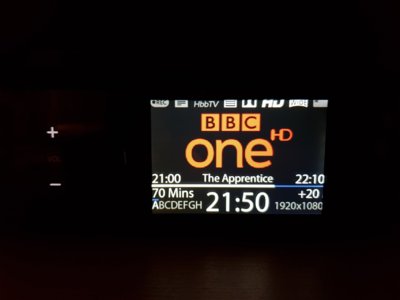
I have set up my duo 4k with openbh and apart from kodi not working everything is running great. One other little issue that I have found is a problem with the lcd screen. It is overscanning at the edges so the image is going off screen. This is a problem using lcd4linux or standard skins because I cannot read some of the text.
Anyone else having similar issues?
Cheers
I have set up my duo 4k with openbh and apart from kodi not working everything is running great. One other little issue that I have found is a problem with the lcd screen. It is overscanning at the edges so the image is going off screen. This is a problem using lcd4linux or standard skins because I cannot read some of the text.
Anyone else having similar issues?
Cheers

nunigaia
Moderator
This is how it looks
Upload here your config files ... ( Lcd4Config ), located at:Stesso problema
Code:
/etc/enigma2In order I can take a look on it.

best regards
nunigaia