Follow along with the video below to see how to install our site as a web app on your home screen.
Note: This feature may not be available in some browsers.
This board is now closed. The Blackhole image ended in 2020.
The board will remain available in Read Only Mode, so all the posts from the last 15+ years are not lost.
We thank you for being part of the community for the last 15+ years.
You can join the OpenBh board if you have not already done so at www.openbh.net.
download from Open Black Hole image (skins) server
supports XtraEvent plugin by digiteng https://vuplus-community.net/board/threads/xtraevent-plugin-by-digiteng.42780/#post-278578
for this skin you need to install xtraevent-plugin as well from Open Black Hole plugin image server.
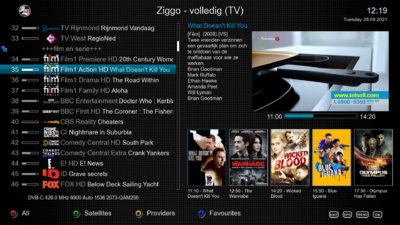
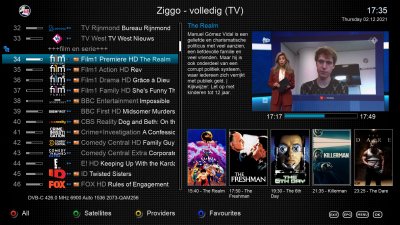
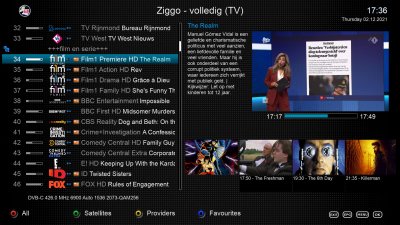
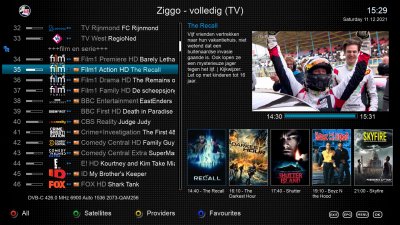
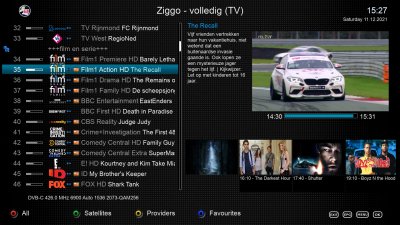
This version only supports posters in Channel selection.
So you only need to download the posters for this version.
for this skin you need to install xtraevent-plugin as well from Open Black Hole plugin image server.
This version supports posters now and next in Channel selection,
same as the MX_GrayDots X version above.
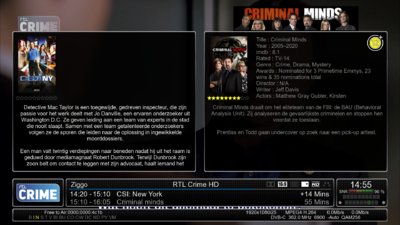
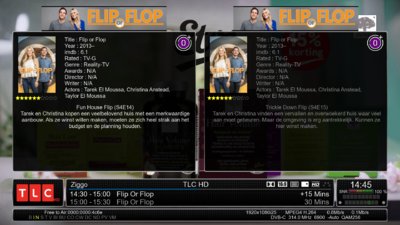
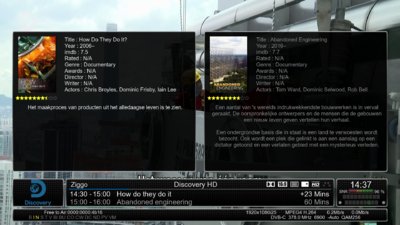
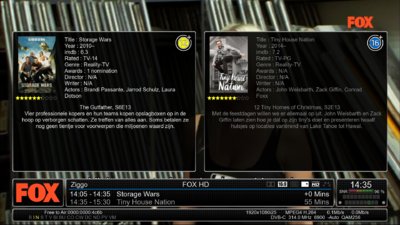
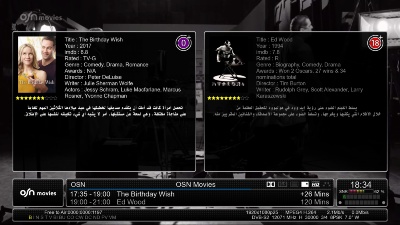
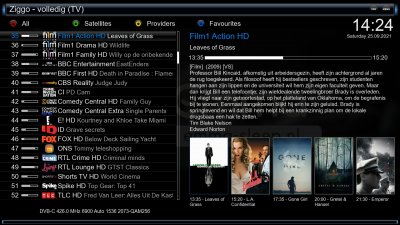
This version supports poster and banner now and next ,film/tv info now and next Title,Year,imdbRating,Rated,Genre,Awards,Director,Writer,Actors,epg now,next in the second infobar.
So you only need to download with plugin what you like to have in the second infobar.
Example if you don't want a banner then don't download it with the plugin.
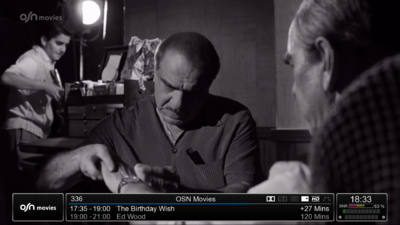
This is just an opinion , i think it will be great to have posters on 1st infobar " now on left and next on right " and 2nd info bar just other info like normal skin , no epg cause we all know if you want to know info about the movie you have epg button also it will make skin simple as all BH & OBH skins are and that what we love about these skins it simplicity
This is just an opinion , i think it will be great to have posters on 1st infobar " now on left and next on right " and 2nd info bar just other info like normal skin , no epg cause we all know if you want to know info about the movie you have epg button also it will make skin simple as all BH & OBH skins are and that what we love about these skins it simplicity
I made the first version
without changes in the infobars.
I really don't like putting posters in the first infobar that look like they are on the scales.
And the second skin version is for those who still like to have almost everything.
I made the first version
without changes in the infobars.
I really don't like putting posters in the first infobar that look like they are on the scales.
And the second skin version is for those who still like to have almost everything.
Yes but i think if posters show up : " now on top of picon bar and next on top of clock bar ", hope you only add that on MX GrayDots X , this way skin will keep it simplicity plus beautiful touch with additional posters ..
Yes we old dogs just want our Matrix 10 regular perfect as they are skins
But the youngsters don't watch TV they watch the OSD and therfore i like the way this is done.
Yes but i think if posters show up : " now on top of picon bar and next on top of clock bar ", hope you only add that on MX GrayDots X , this way skin will keep it simplicity plus beautiful touch with additional posters ..
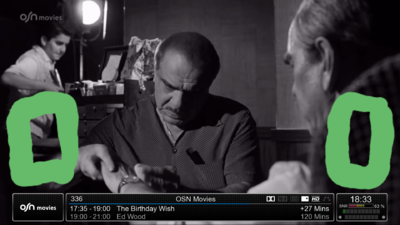
No MX10 lol , i meant posters show uo on top of picon place and other one show up on top of the clock like i draw on this , sorry for my drawing skills
No MX10 lol , i meant posters show uo on top of picon place and other one show up on top of the clock like i draw on this , sorry for my drawing skills
We stop supporting older X / X2 skins in OpenBH 5.0
due to changes in coding plugin.
So for now we have two skins
MX_GrayDots_X2P and MX_GrayDots_X2B using new xtraEvent V 3.3 mod OpenBH
The difference is that one P supports the posters and the other B backdrop images in channel selection.
The difference is also that it is possible to download more
backdrop images on the WWW net than posters.
But posters are a bit faster for the image because of the smaller files.
You can download skins with OpenBh Download Manager>>OpenBh image skins.
Do not forget
You must first install the xtraEvent plugin
then skin.
Hi,
I've just installed the newest release OBH openbh-5.0.003.release-vuduo4kse_usb_release_8628a901. Unfortunately I can't see this skin under Plugins/Skins menu.
I also tried Green -> Yellow -> Addons and Feeds Manager -> OpenBh Image Skins ... but getting Sorry. Connection Failed.
Is this skin supported by OBH 5.0 at all ? If so, how to download it then ?
Hi,
I've just installed the newest release OBH openbh-5.0.003.release-vuduo4kse_usb_release_8628a901. Unfortunately I can't see this skin under Plugins/Skins menu.
I also tried Green -> Yellow -> Addons and Feeds Manager -> OpenBh Image Skins ... but getting Sorry. Connection Failed.
Is this skin supported by OBH 5.0 at all ? If so, how to download it then ?
We have some problems with the addon server because it is a new server when it is 100% operational you will be able to download. Try the next few days.
for this skin you need to install xtraevent-plugin as well from Open Black Hole plugin image server.
This version supports posters now and next in Channel selection,
This version supports poster now and next ,film/tv info now and next Title,Year,imdbRating,Rated,Genre,Awards,Director,Writer,Actors,
epg now,next in the second infobar.
View attachment 50891
No MX10 lol , i meant posters show uo on top of picon place and other one show up on top of the clock like i draw on this , sorry for my drawing skills
This site uses cookies to help personalise content, tailor your experience and to keep you logged in if you register.
By continuing to use this site, you are consenting to our use of cookies.