
Follow along with the video below to see how to install our site as a web app on your home screen.
Note: This feature may not be available in some browsers.
This board is now closed. The Blackhole image ended in 2020.
The board will remain available in Read Only Mode, so all the posts from the last 15+ years are not lost.
We thank you for being part of the community for the last 15+ years.
You can join the OpenBh board if you have not already done so at www.openbh.net.
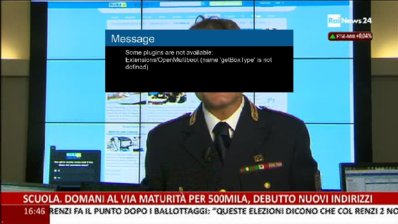
I have an problem with Open Multiboot I have latest Open Blackhole image in flash and installed Openmultiboot in hdd . when I install Blackhole Image it gives me the error "open multi boot get box type not defined error" Kindly help me to fix it thanks for the help
I use a USB pendrive EXT4 with 2 partitions and Open Multiboot is working with Black Hole 2.1.6.1 on the first pendrive partition (/media/usb) without any flaw.
I have an problem with Open Multiboot I have latest Open Blackhole image in flash and installed Openmultiboot in hdd . when I install Blackhole Image it gives me the error "open multi boot get box type not defined error" Kindly help me to fix it thanks for the help
Think you downloaded Open Multiboot from other forum!
The dialogue screen that´s visible on your posted screenshot, reveals that, and it is a version not moded for Open Blackhole.
It´s not recommended use a HDD conventional ( Sata ), dued to continous spinning on using multiboot, unless you use an SSD Hard Disk Drive.
So, that plugin, it´s not the one embebed on Open Blackhole Image 0.1 ( Image from 06/06/2015 ), you can find here --> http://www.vuplus-community.net/board/threads/open-black-hole-0-1-update-06-06-2015-vu-ultimo.23256/ , as far i know still with some bugs.
Of course you can test it:
1) - Using a USB PEN DRIVE
2) - Following the guides that @Eragon saids on above post.
3) - Or ... instead of this ... be patient and wait until it´s fixed!
This site uses cookies to help personalise content, tailor your experience and to keep you logged in if you register.
By continuing to use this site, you are consenting to our use of cookies.