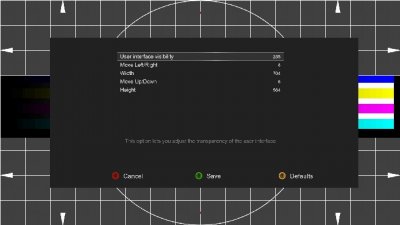
I'm experimenting with OpenBH and able to click through setup OK. However, thereafter the setup menu is partly off screen to the left meaning I cannot see the menu options properly. I'm connected via a HDMI to an old Samsung LCD panel (TV). I did not have this issue using the regular BlackHole 3.0.9 that was running previously. Any suggestions how to remedy this problem please?

This board is now closed. The Blackhole image ended in 2020.
The board will remain available in Read Only Mode, so all the posts from the last 15+ years are not lost.
We thank you for being part of the community for the last 15+ years.
You can join the OpenBh board if you have not already done so at www.openbh.net.
Setup menu off screen, video slightly off screen
- Thread starter Michale
- Start date