This board is now closed. The Blackhole image ended in 2020. The board will remain available in Read Only Mode, so all the posts from the last 15+ years are not lost. We thank you for being part of the community for the last 15+ years. You can join the OpenBh board if you have not already done so at www.openbh.net.

skin colors

amine2010

Vu+ Newbie
Hi All,
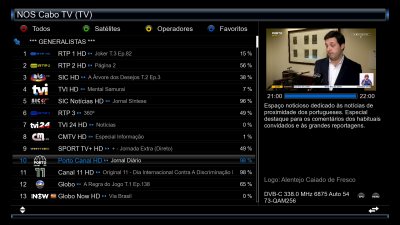
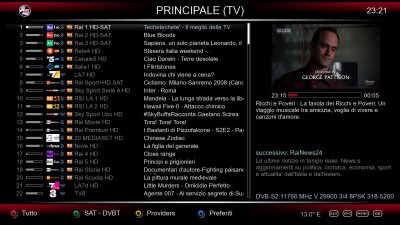
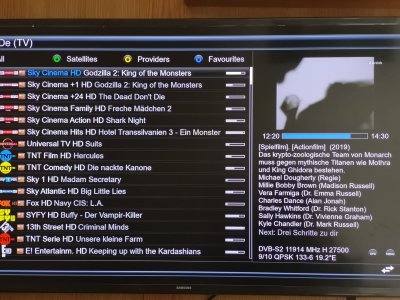
all the skins are beautifull but all based on black and white and it is not easy sometims to make difference between columns. so i am not a professional but i need help.
i need to change the color of the channel list so it will be easy for eyes: channel name with a color and program with other color and epg with another color.
thank you
 

Attachments

  • 2020-03-21.jpeg
    2020-03-21.jpeg
    218.8 KB · Views: 33
Hi All,
all the skins are beautifull but all based on black and white and it is not easy sometims to make difference between columns. so i am not a professional but i need help.
i need to change the color of the channel list so it will be easy for eyes: channel name with a color and program with other color and epg with another color.
thank you

You don´t have any need to modify @Matrix10 work, without his consentiment.

Why don´t you increase the size font of Channel Name and decrease the font size of the info.
You can do it by pressing the Menu button, when the ChannelList is open.

3.jpg

best regards
nunigaia
 
Another try you can do is configuring the channel list like I did (see the picture attached).
This means enabling, in the channel list configuration, the option called "Show column" not as "disabled" but deciding a value in width according to your taste. For instance, I set 325 pixels.
This width is referred to the channel name column, which won't be variable but fixed. At its right you'll have the current event, this way.
I also don't like, as you, the current programme name just following the channel name.

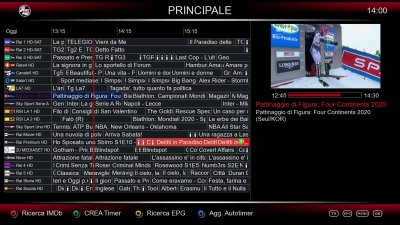
But, talking about EPG, you'll probably consider fundamental the MultiGraphicEPG, although it has a different aim.
 

Attachments

  • Channel-list-spaced.jpg
    Channel-list-spaced.jpg
    500.1 KB · Views: 28
  • MultiGraphicEPG.jpg
    MultiGraphicEPG.jpg
    639.6 KB · Views: 29
Another try you can do is configuring the channel list like I did (see the picture attached).
This means enabling, in the channel list configuration, the option called "Show column" not as "disabled" but deciding a value in width according to your taste. For instance, I set 325 pixels.
This width is referred to the channel name column, which won't be variable but fixed. At its right you'll have the current event, this way.
I also don't like, as you, the current programme name just following the channel name.

But, talking about EPG, you'll probably consider fundamental the MultiGraphicEPG, although it has a different aim.

Ale

You can resize the font size from info for MultiEpg Panel. ( reduce the font, otherwise it looks ugly ) :)

Press the MENU ... and resize it also!

best regards
nunigaia
 
:) Yes I know, it was just to show the MultiGraphicEPG mode, because many users don't even know it exists...
I chose this font size because I prefer to have many channels per page and many events.
But I know I can change it: I actually love the freedom of configuring many sections of the GUI that OBH offers! So I did many adjustments to the GUI.
 
Back
Top