Follow along with the video below to see how to install our site as a web app on your home screen.
Note: This feature may not be available in some browsers.
This board is now closed. The Blackhole image ended in 2020.
The board will remain available in Read Only Mode, so all the posts from the last 15+ years are not lost.
We thank you for being part of the community for the last 15+ years.
You can join the OpenBh board if you have not already done so at www.openbh.net.
I own an Ultimo 4k with internal WD 4TB RED HDD (WD40EFRX) initialized and mounted with BH into Ultimo.
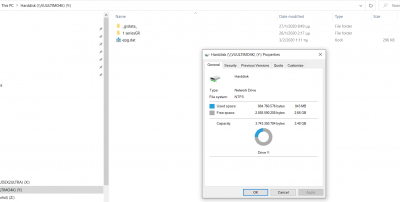
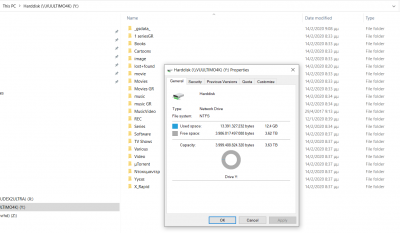
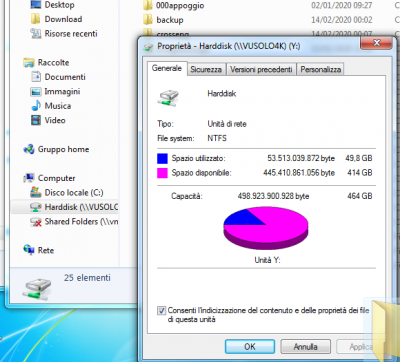
If I try to see Ultimo HDD from Windows network PC I see only 250 GB
To see the whole HDD capacity I have to run 'Setup / System / Hard Drive / Filesystem Check / ATA (WD40EFRX-68N) / Check / yes' and wait some minutes to complete check every time I power on my VU+.
Is there any setting or plug-in to BH to solve my issue ?
I know: I'm joking. But we become old for real when we decide we can't learn any more anything new.
And, above all, it's much easier to use Linux or MacOs than the Tower of Babel win.
What happens if you connect to VU+ by a FTP client (Filezilla or the like)?
If your aim is to get access to your recordings, it's easier to do by it (they are located under
/media/hdd/movie
than by that labyrinth...
Seriously now I think that problem is some HDD incompatibility
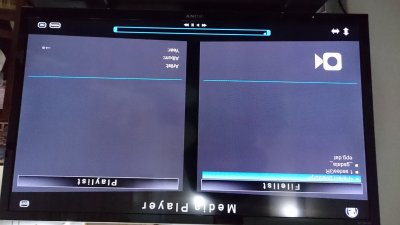
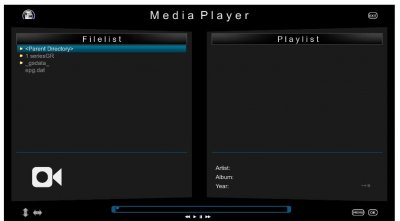
Before repair ('Setup / System / Hard Drive / Filesystem Check / ATA (WD40EFRX-68N) / Check / yes') I see only 2 directories even in Ultimo Media Player and from my Windows Network PC.
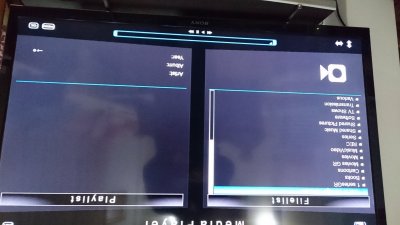
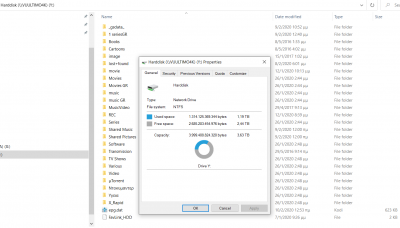
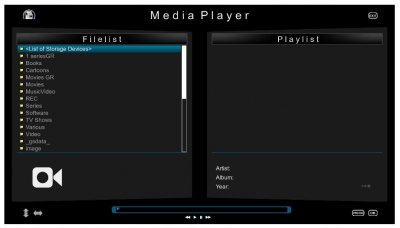
After repair ('Setup / System / Hard Drive / Filesystem Check / ATA (WD40EFRX-68N) / Check / yes') I can see all directories even in Ultimo Media Player and from my Windows Network PC.
You said you had initialised the VU+ HDD by BH, but I see it is formatted with the windows poor file system (NTFS)...
If you want to use in a decent way your HDD, you must format it as Ext4.
Second: please, avoid taking pictures of VU+ that also got rotated: this is a pain. Grab screenshot from your VU+ by using, in a browser your IP address followed by /grab, this way:
I'm sure that had initialised the VU+ HDD by BH. First did it following First Time Installation Wizard with factory image. After installing BH initialized again.
Even I had almost 2TB recorded files I followed your advise and initialized again today.
But from Windows it seems as NTFS again
Use a real O.S. and Windows is not. What do you want to do? Write to the genius people from MS.
But there's no need of using the poor and limited powers of this sort of O.S. when you have simply many FTP clients to get full access to your VU+.
Filezilla is one of them and any FTP client is far more comfy than win because you can save many bookmarks to have direct access to your VU+, not only its HDD (whose path is /media/hdd) but also whatever path. Recordings are in
/media/hdd/movie
your channels and other settings are in
/etc/enigma2
your skins are in
/usr/share/enigma2
(useful if a skin causes crashes or the STB hung at the boot) and so on.
Sorry but I'm afraid you haven't understood the problem
Problem is not Windows
Problem is that my STB cannot see its HDD content every time I power on it.
I have to run Filesystem Check to make my STB see all directories and files
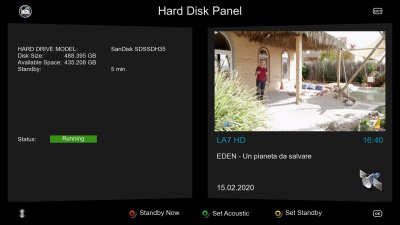
This is what I see when power on
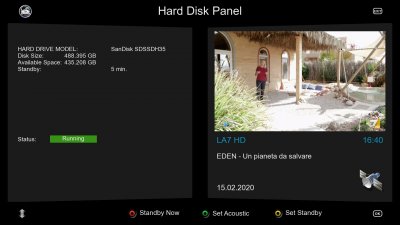
and this is what I see after Filesystem Check.
It is very annoying this and I cannot program any schedule recording
Why do you use Media Player? What happens if you use the normal REC LIST button? (I know: BH is a bit limited at browsing folders and devices, but it's possible pressing the REC LIST button twice).
And have you tried the only comfortable way to browse your folders that's the plugin Enhanced Media Center? Try it.
Last but not least: what do you see in the Device Manager? You can get to it, for instance, by pressing BLUE/BLUE.
Maybe the problem it's that the HDD is too large. So, I'd try to partition as 2+2 Tb or 3+1. A 3 Tb is the largest I've tried, so far, without any issues. But maybe a 4Tb is not supported, yet.
I don't have up BH at the moment, but it's among Addons: there are only two sections, after all... If I'm not wrong, it's in the first one, where you have a single list in many pages (it name should be "BlackHole addons and plugins).
This site uses cookies to help personalise content, tailor your experience and to keep you logged in if you register.
By continuing to use this site, you are consenting to our use of cookies.