Follow along with the video below to see how to install our site as a web app on your home screen.
Note: This feature may not be available in some browsers.
This board is now closed. The Blackhole image ended in 2020.
The board will remain available in Read Only Mode, so all the posts from the last 15+ years are not lost.
We thank you for being part of the community for the last 15+ years.
You can join the OpenBh board if you have not already done so at www.openbh.net.
Hello from Italy; I just became member and am very fond of that. Alleluia! I have bought my first receiver ever, a used VU+UNO 4K SE on Ebay. But I just realized too late that I had bought one for cable TV, without having nor satellites nor cable TV's. So I just bought a brand new VU+Dual DVB-T2 Tuner card from Amazon which I installed in the place of the original DVB-C card. I connected also a LAN and HDMI cable and the antenna, but starting up with the Wizard the receiver cannot detect any broadcaster with the automatic research. I checked the antenna cable and it works. It also seems that the receiver sees the card, as he tells me that it is installed. Unfortunately my knowledge is still very basic: I don't have any idea how to understand which image is loaded and I never before had an Enigma 2 receiver. I just once figured another receiver and it immediately sincronized with all the stations. Is there any hope for me? I can offer a real italian pizza with hot salami to whom could help me out?
First and most important thing is to tell us which image are you using.
Second: what do you see in the main screen under Tuner configuration? Is the tuner listed there? If so, the scanning should succeed.
If not, we need to get back to the first point to tell you how to install its drivers. Although I don't think is possible that any image would be without a VU+ tuner's drivers...
Finally, you should check if your tuner is correctly set as DVB-T2, because these tuners are dual: they are both DVB-C or DVB-T/t2 but default is DVB-C.
So, grab your tuner screen (and here it comes one of the first hints to use your box at its full To grab a screen you just use the grab command: type in a browser the box IP address followed by /grab. For instance, if your box IP is 192.168.0.33
192.168.0.33/grab
and then save (right click) the picture you got.
This will also avoid to attach a rotated picture and the picture will be perfect, not just a more or less blurred photo).
Wow: Thank you so much for your response. The one you call "one of the first hints to use my box in full" is chalenging. I will try, also if things are not so clear to me. But you described it in a very efficient way, so I will try. Thanks in the meantime.
p.S: I think you are in pole position for a real italian pizza?
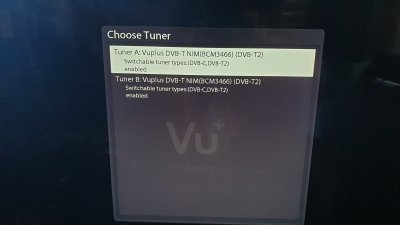
I know that I did not answer until now. But there is something I cannot understand. I just took a photo of what I can visualize in Setup/Service Searching/Tuner configuration... as you asked me and attached it. It seems that the box sees the card, doesn't it? I attache you also a foto of the tuner screen and everything seems to be ok. I just. do not know how to figure out about the image you asked me, as there is no image anywhere in the machine. And I also do not understand how check if your tuner is correctly set as DVB-T2
1) Tuner
If you don’t enter “inside” the tuner configuration, what we can see is just and only that you have it in your system and it is enabled.
But this is not it’s configuration as it might be enabled as DVB-C, not as DVB-T/T2. So, please, press OK on the name of your tuner.
Or, simply, check if it is correctly set.
2) GRAB
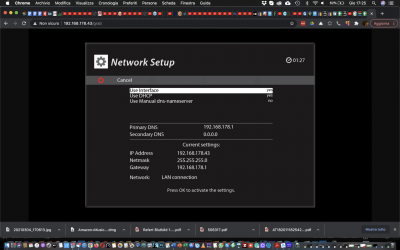
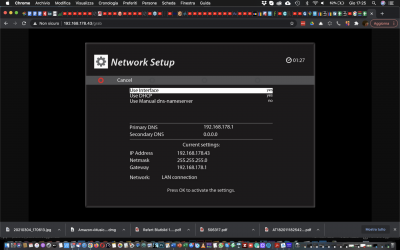
As you can read yourself, your box IP is
192.168.178.43
So, using whatever browser in your home, what you just need to do in order to grab a screen is typing, in the URL bar
192.168.178.43/grab
It’s not complicated. You’ll get the current screen whom you can save.
It is really the first time for me, that I am taking part of a forum, and I am grateful for that. I posted the answers to your question already this afternoon, but obviously I made a mistake and so I cannot find my post anymore. So I will write it a second time, hopefully that it will work this time.
I grabed my tuner screen and attached you the results. I just don't know how to figure out from that screen shot if the tuner is correctly set as DVB-T2 or still to DVB-C.
Another thing I cannot understand is how to figure out which image I have loaded, as I could not find one anywhere. There is just a logo that appears sometimes, is it that what you mean.
You also told me to look if the tuner is listed in the main screen under Tuner configuration? I send you a foto, but I don't know if it is that what you mean. I went into the menu under Setup/Service Searching/Tuner config and attached you the photo down here, but I am afraid it's not what you asked
You did not read any of the two points I wrote and, instead, you posted again the same two screens! Your post is not lost: it's just above...in this same thread.
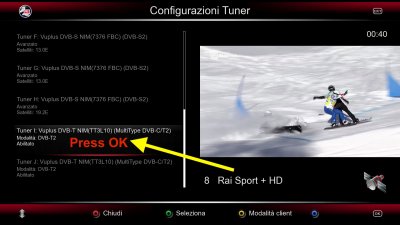
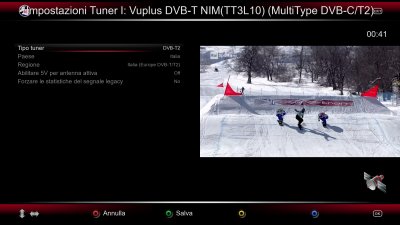
You posted the first screen from tuner configuration, like in the 1st screen I attach here. You need, as I wrote in post #6, just and only to press OK "over" the tuners listed and you'll get something equivalent to the 2nd grab.
And you did not read also my 2nd point, to avoid phone pictures and properly grab a screen.
About what image you use... apart from the fact it tells you when you boot the system, don't you have an INFO item pressing MENU? There aren't hundreds of menu voices: just explore: who doesn't explore, doesn't find anything in life.
Hello from Italy; Sorry for the dalay! These days had been busy for me, but my focus was always in this forum. I needed to concentrate completely on your suggestions, otherwise I would not understand. But I think I got it now: "grabbing" the different images on the screen is just a better way to see them clearly, instaed of shooting fotos, like screen shots I could do with the PC. Great. Thanks!
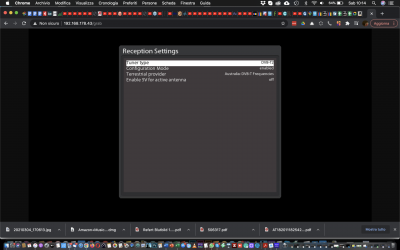
So on picture 1 I got the image of what I can see “inside” the tuner configuration, is that the right grab?
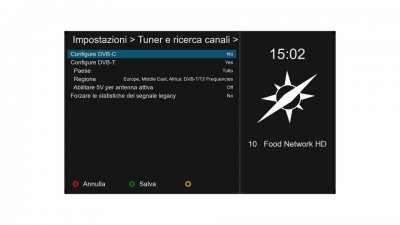
And on picture 2 I just grabed a view of the only "image" I can find, while scolling through the whole configuration of the VU+. Does this help?
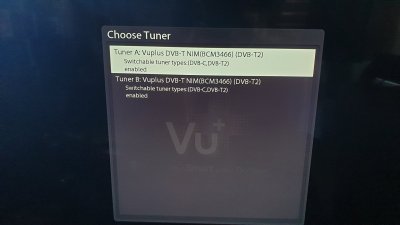
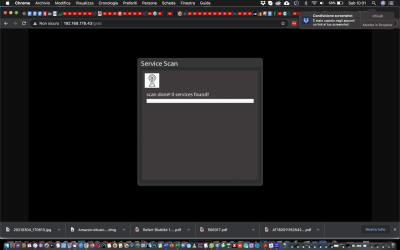
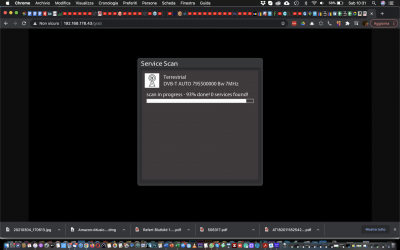
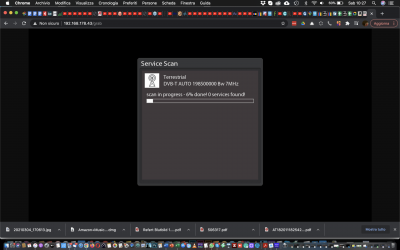
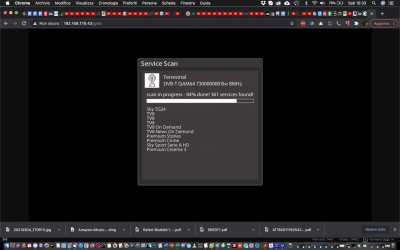
Picture 3 and 4 are about what I see, after activating the automatica scan.
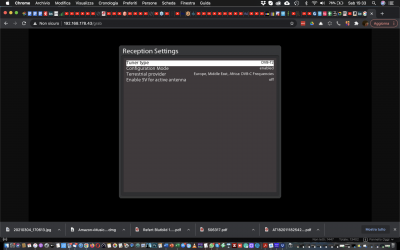
Scusa se ti rispondo in italiano e chiedo scusa al forum, ma davvero non capisco: le schermate 1,2 e 3 non sono quella che ti ho fatto vedere ma lo è la 4. E lì non lo vedi che hai impostato l'Australia, santa miseria? Cambia quell'impostazione e scegli "Italia"!!!
Bastava leggere il contenuto di quel sottomenu. Ci credo che non ti trova i canali!
Yoy are absolutely right! It was enough to change the the DVB-T2 frequencies from Autralia to Europe, Middle east and the receiver found almost 400 frequencies. I feel kind of ridiculous for that, but I had not opened that config page yet. I feel like a genius! Unforgivable!
Grazie mille. In anzi tutto ringrazio Alex per la sua pazienza... sei stato veramente gentilissimo! Dimi dove mandarti la pizza che ti devo! E magari provo a tornare un attimo a casa, nel forum italiano.
Grazie mille. In anzi tutto ringrazio Alex per la sua pazienza... sei stato veramente gentilissimo! Dimi dove mandarti la pizza che ti devo! E magari provo a tornare un attimo a casa, nel forum italiano.
This site uses cookies to help personalise content, tailor your experience and to keep you logged in if you register.
By continuing to use this site, you are consenting to our use of cookies.



 To grab a screen you just use the grab command: type in a browser the box IP address followed by /grab. For instance, if your box IP is 192.168.0.33