Follow along with the video below to see how to install our site as a web app on your home screen.
Note: This feature may not be available in some browsers.
This board is now closed. The Blackhole image ended in 2020.
The board will remain available in Read Only Mode, so all the posts from the last 15+ years are not lost.
We thank you for being part of the community for the last 15+ years.
You can join the OpenBh board if you have not already done so at www.openbh.net.
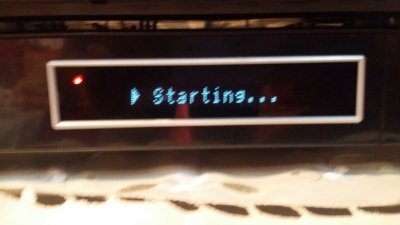
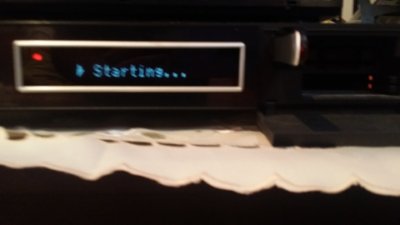
soo i was updating my vu duo using the vucc and then after the update has finished the vu duo was stuck on starting after that i tried flashing a new black hole update to it through the usb but when i turn off the vu and insert the usb in the front panel and turn the vu duo on nothing happens it still write starting and nothing changed , i hope any body can help .... thanks in advance i have also attached 3 photos to the situation and just to tell you more i've tried more than 1 usb
Some USB disks doesn't work on Duo. maybe you change it . then format it with HP usb disk storage format tool in FAT 32 format. then copy only Vu Duo folder on it then use. try also rear usb inlets.
@yashar1357 did exactly everything as you said , i've formatted the usb to fat 32 and copied the folder and when i enter the usb still the same it only shows starting , nothing else , i've also tried different usb ports as well , thanks for your help waitig for more to solve this problem
@Mick12334 yes i've followed the guides exactly and i tried an earlier blackhole still the same , when i insert the usb and power on the vu duo its just saying starting nothing else , thanks for the help , waiting for more
i've just updated the vu+ duo bootloader with a different fat32 usb and it updated fine , i tried flashing another image to solve the problem completely but still it says starting and nothing happens
Seems strange as you stated that the bootloader update worked, so your receiver is reading the USB stick, and capable of loading an image.
Why not try the original firmware, from vuplus:
Okay , so i have solved the problem by a stupid method tbh , i deleted everything from the vu duo by using filezilla and then formatted another new usb to fat32 and i've added to it the new version of blackhole and some how the vu duo flashed the usb and its up and running right now
thanks for all of you guys for the help
This site uses cookies to help personalise content, tailor your experience and to keep you logged in if you register.
By continuing to use this site, you are consenting to our use of cookies.



 , i deleted everything from the vu duo by using filezilla and then formatted another new usb to fat32 and i've added to it the new version of blackhole and some how the vu duo flashed the usb and its up and running right now