Follow along with the video below to see how to install our site as a web app on your home screen.
Note: This feature may not be available in some browsers.
This board is now closed. The Blackhole image ended in 2020.
The board will remain available in Read Only Mode, so all the posts from the last 15+ years are not lost.
We thank you for being part of the community for the last 15+ years.
You can join the OpenBh board if you have not already done so at www.openbh.net.
Hi People I just installed a new skin through the GUI restarted the box and now its in a constant green screen loop.
I was hoping someone could help to see if the box can be soft reset. I'm not technically proficient with the box, I dont know how to FTP or anything like that, to post up the crash log. My satellite installer does all the image work. Just wanted to know if there was an easy way to reset the box
Try power-off from the back!
Am not sure but, it may go to the default skin!
If not then U have to connect to the STB using FTP toll , like DCC...(its easy) and delete the skin!
Thanks, I have tried restarting the box from the mains power and leaving for one minute. Still the same, I will give my installer a shout tomorrow to get him to fix it.
Even though I am computer literate, the Linux parts flummox me. Thanks for your suggestion though
Thanks, I have tried restarting the box from the mains power and leaving for one minute. Still the same, I will give my installer a shout tomorrow to get him to fix it.
Even though I am computer literate, the Linux parts flummox me. Thanks for your suggestion though
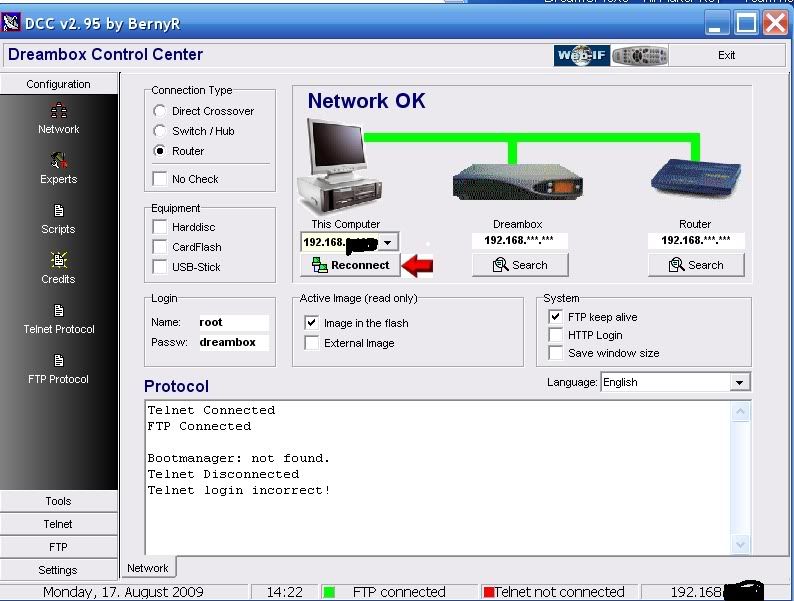
1. Unrar DCC to a folder and start the program with the DCC.exe
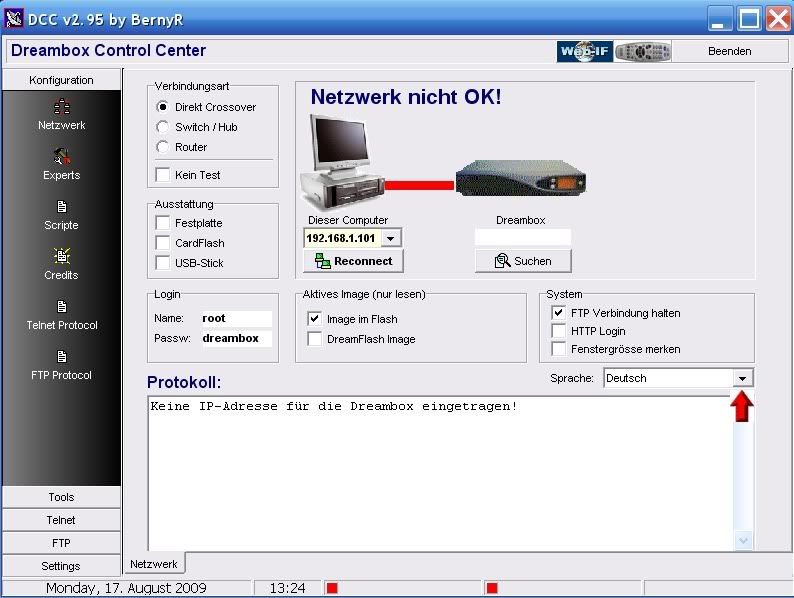
2. First thing to do is select your Language.and enter your Dreambox password.
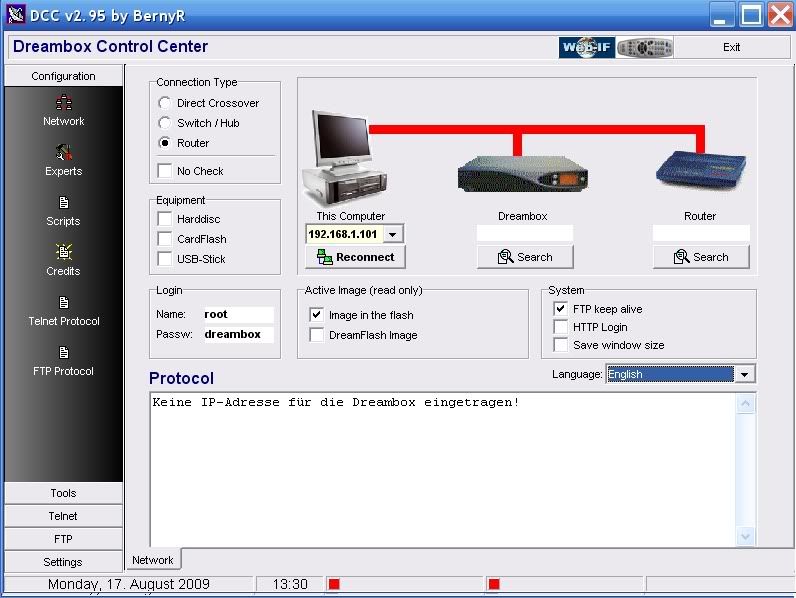
3. Now we need to select your Network configuration, most of you will have a router so this need to be selected.
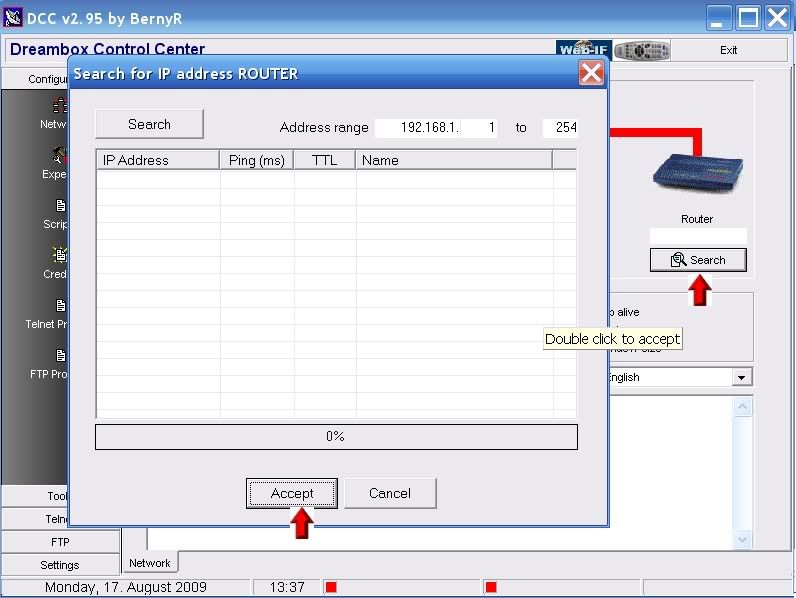
4. At this point if you know your Dreambox and Router IP's enter them manually if not press the search button below the router and then the search button on the popup.
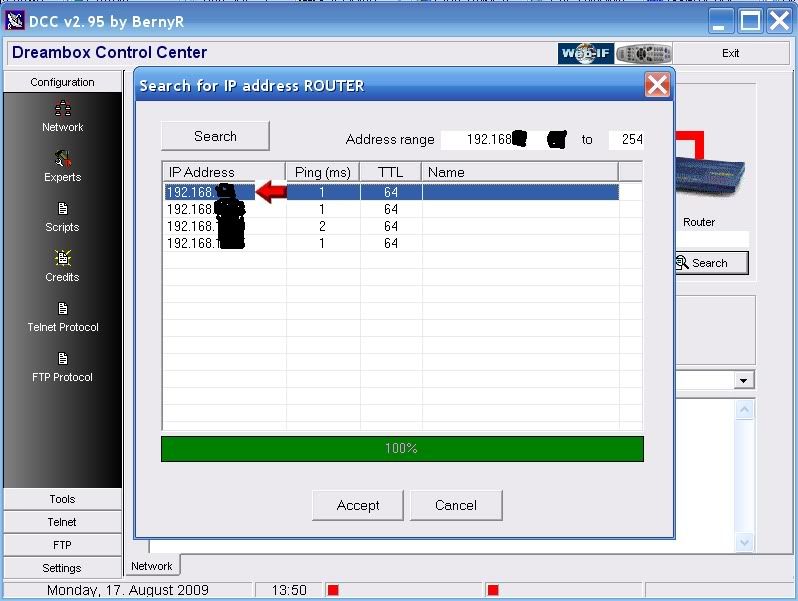
5. When DCC has finished searching your router will normally be the lowest ip in a range so highlight it and press accept.
6. You can now repeat this to find the Dreambox IP or use the following method.
Menu-Setup-Expert Setup-Communication Setup.
You'll see your IP at the top of the page make a note of this and enter this IP in DCC under the Dreambox ICON.
Also untick the DHCP box so your Dreambox IP will never change and remain static.
7. After you have inserted the IP's click the reconnect button under the PC icon. If you have done this correctly all lines to the router and dreambox should now be green.
DCC is now configured. You Can Download from Tools section,,
Hi People I just installed a new skin through the GUI restarted the box and now its in a constant green screen loop.
I was hoping someone could help to see if the box can be soft reset. I'm not technically proficient with the box, I dont know how to FTP or anything like that, to post up the crash log. My satellite installer does all the image work. Just wanted to know if there was an easy way to reset the box
This site uses cookies to help personalise content, tailor your experience and to keep you logged in if you register.
By continuing to use this site, you are consenting to our use of cookies.


 !
!