
Install the app
How to install the app on iOS
Follow along with the video below to see how to install our site as a web app on your home screen.
Note: This feature may not be available in some browsers.
This board is now closed. The Blackhole image ended in 2020.
The board will remain available in Read Only Mode, so all the posts from the last 15+ years are not lost.
We thank you for being part of the community for the last 15+ years.
You can join the OpenBh board if you have not already done so at www.openbh.net.
You are using an out of date browser. It may not display this or other websites correctly.
You should upgrade or use an alternative browser.
You should upgrade or use an alternative browser.
WatchON GALAXY S4
- Thread starter arzaz
- Start date

Tamaki
Administrator
I've never tried watchon.Can someone help me to get WatchON application to detect my VU DUO on GALAXY S4?
Di you try Vu+ player?

yummer
BH Lover
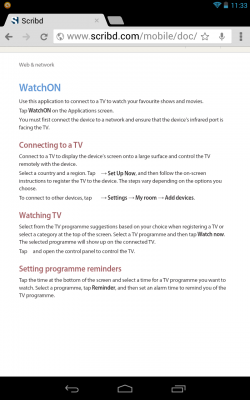
Until I get my hands on one at the end of the month mate I couldn't tell you. But this is the instructions in the manual for adding other devices. I take it this uses the infra red (IR) OF THE GALAXY where as the vu app uses your home network WIFI. My honest opinion is that the vu app must be better then as no direct line of sight is required to control the stb. And the menu is laid out specifically for controlling your vu 
yummer
BH Lover
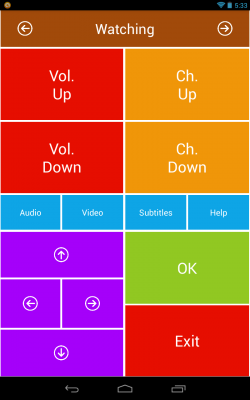
Got my s4 yesterday and works with vu duo. Set your tv up as you already have done. Then when it asks for video source select stb. In search bar type vu and vu+ should come as an option. Select it. Try to change channel if nothing happens select try next code.... my duo was registered then. Only trouble is if your channel numbering is not same as provider it will not change to correct channel. Hope this helps
yummer
BH Lover
I suggest you keep trying to change code on your s4.. If none of them work mate a support box will pop up put in your model number and their support guys will get onto it. They update the app quite frequently so make sure your app is updated either through play store or Samsung apps
I suggest you keep trying to change code on your s4.. If none of them work mate a support box will pop up put in your model number and their support guys will get onto it. They update the app quite frequently so make sure your app is updated either through play store or Samsung apps
Cheers for the reply. Yeah I sent a support email saying a needed a code for the Ultimo. Couldn't find a model number on my box though?