Follow along with the video below to see how to install our site as a web app on your home screen.
Note: This feature may not be available in some browsers.
This board is now closed. The Blackhole image ended in 2020.
The board will remain available in Read Only Mode, so all the posts from the last 15+ years are not lost.
We thank you for being part of the community for the last 15+ years.
You can join the OpenBh board if you have not already done so at www.openbh.net.
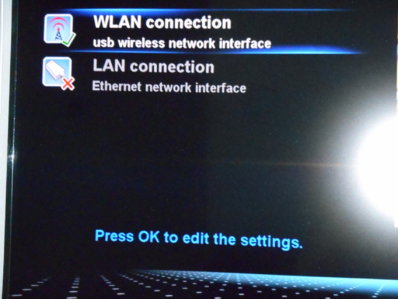
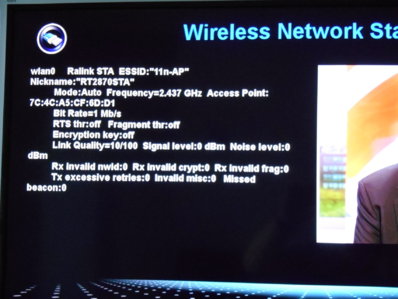
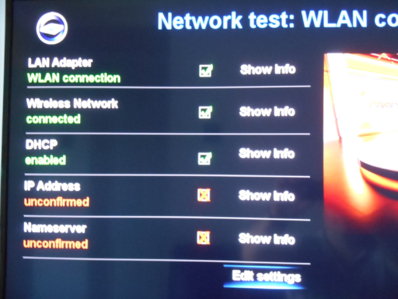
Hi everyone,just changed my router to a sky hub and have had problems all week trying to configure my vu+dun the network test the first three items are all ticked green but i cannot sort out the last two whatever i try.It keeps saying - IP address unconfirmed,Nameserver uncofirmed.I would appreciate any help and also if there's anyone near Cardiff/Bridgend a face to face would be great.
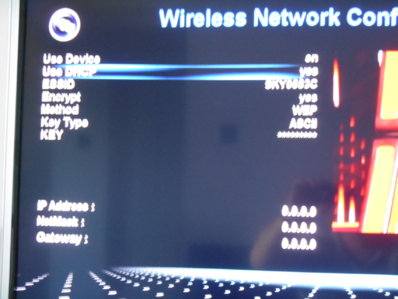
dhcp is enabled and an ip address has been automatically created for my machine.The router must be ok since everything else i have is configured wirelessly ok,such as my sky boxes,sonos music.
WEP encrypt? Are you sure your wifi connection is correctly setted up? Usually wireless routers don't use WEP because it's a very weak security solution.
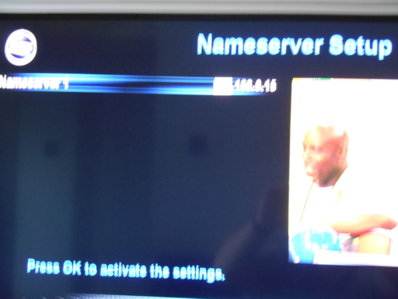
I suggest to use DNS 8.8.8.8 and 8.8.4.4 instead of the one you use.
WEP encrypt? Are you sure your wifi connection is correctly setted up? Usually wireless routers don't use WEP because it's a very weak security solution.
I suggest to use DNS 8.8.8.8 and 8.8.4.4 instead of the one you use.
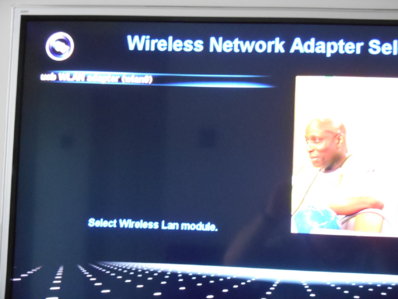
changed my sky hub encryption to WPA2-PSK,i now have 4 ticks on the network test but the Nameserver is still unconfirmed.Encryption and passkey same on router and vu+ box.
changed my sky hub encryption to WPA2-PSK,i now have 4 ticks on the network test but the Nameserver is still unconfirmed.Encryption and passkey same on router and vu+ box.
You have this problem even if you use 8.8.8.8 and 8.8.4.4 ?
You do not have to use the same nameserver as the one provided by your ISP, I use smart dns and google.
You have this problem even if you use 8.8.8.8 and 8.8.4.4 ?
You do not have to use the same nameserver as the one provided by your ISP, I use smart dns and google.
This is from memory.
Menu > Setup > Network and then select namserver, you should have one line and you press one of the colored buttons to add another
This is from memory.
Menu > Setup > Network and then select namserver, you should have one line and you press one of the colored buttons to add another
Everything sorted,the only thing i did differently was to shut down my box instead of using standby mode.When i restarted the box all five green ticks were present on the network test FINALLY.Thanks very much for everyone's help and suggestions.
This site uses cookies to help personalise content, tailor your experience and to keep you logged in if you register.
By continuing to use this site, you are consenting to our use of cookies.

 n the network test the first three items are all ticked green but i cannot sort out the last two whatever i try.It keeps saying - IP address unconfirmed,Nameserver uncofirmed.I would appreciate any help and also if there's anyone near Cardiff/Bridgend a face to face would be great.