Follow along with the video below to see how to install our site as a web app on your home screen.
Note: This feature may not be available in some browsers.
This board is now closed. The Blackhole image ended in 2020.
The board will remain available in Read Only Mode, so all the posts from the last 15+ years are not lost.
We thank you for being part of the community for the last 15+ years.
You can join the OpenBh board if you have not already done so at www.openbh.net.
I added my mountpoint and then I went to recording paths and I can't see my "mountpoint" anywhere! I called the local share "Vu" - is there a step I'm missing? How can I get it to actually show up
Edit: I pressed menu, switched to "file list" and checked all the parent directories... there's nothing!
I do not use Win7.
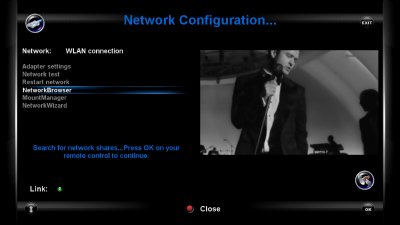
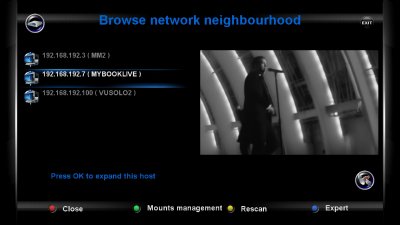
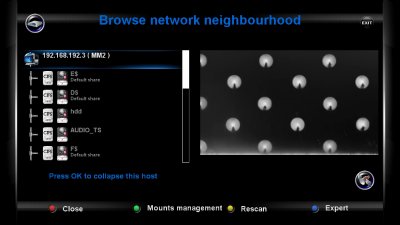
If your share is OK , you can see and mount your folder with NetworkBrowser
in Network Configuration Panel.
Do you see your Win7 folder ??
If you do not see it is a win 7 problem.
Honestly, despite everyone's help, I'm completely stumped and lost. I'm considering giving up on BH and Vu+ alltogether. Mounting and recording is so hard it's completely stupid.
I mounted my Windows 7 folder just fine. Username/password both "vu" and folder is "vu" and is shared fine. I have no firewall or AV issues. It still doesn't show up anywhere on my Vu+ after mounting and the menu is so confusing I don't even know where to start. All the guides assume the user knows certain things and I have yet to find a comprehensive guide "for dummies" about this subject. Funny, considering Win7 is the most popular OS in the world.
Honestly, despite everyone's help, I'm completely stumped and lost. I'm considering giving up on BH and Vu+ alltogether. Mounting and recording is so hard it's completely stupid.
I mounted my Windows 7 folder just fine. Username/password both "vu" and folder is "vu" and is shared fine. I have no firewall or AV issues. It still doesn't show up anywhere on my Vu+ after mounting and the menu is so confusing I don't even know where to start. All the guides assume the user knows certain things and I have yet to find a comprehensive guide "for dummies" about this subject. Funny, considering Win7 is the most popular OS in the world.
it is not an incompatibility of samba and w7
it is the security which (of course) is strickter in w7
so to share a directory, you should also share / break open some of those security settings
1st make allowances for a different computer to access w7 by adding the VU's Ip adress in the firewall as an exeption to the rule
2nd also do so for any other additional software security suite / firewall / antivirus
3th also add the VU's Ip address to the internet options / security / intranet
and
4th the workgroup must be equal and thus case sensative
5th adding a new login user for the w7 and also logging in as such will set the permissions to a shared directory
so add such user to the shared directory with full read write access permission
personally i do also use netbios over tcp in the network card properties due to which it uses name resolving old fashioned style
after wich all are restarted and a networkbrowser / share management needs to be set to the default media/net directory of the VU+
Hi I have a similar problem but not mounting the pc to the vuplus but mounting a local USB hdd drive. I connect the drive to the rear USB slot. Go to USB format. Turn on the drive. The vubox sees the drive, initialize the drive, then formats it (using the recommended ext3 for USB hdd). Reboot the box then no mount and the box won't see the hdd. On one occasion it did I tried to record to the drive then got the error no hdd drive found. I have had this same issue using 32gig pen drive. Any ideas would be great.
Well I already wrote.
Most of these problems are related to timing.
Test if you have a stable mount with FAT32 or NTFS
in order to discover what is the problem.
Tried creating a shared folder.
Without succes so far.
Did everything as described; created a folderr, gave permission, created user with admin rights etc.
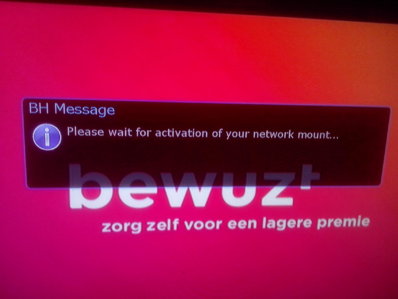
But when i click OK and YES it says only
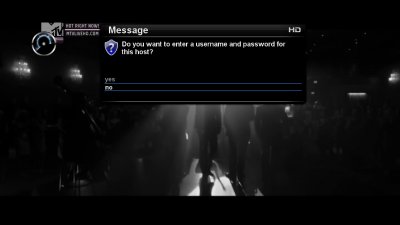
Please wait for activation of your network mount...
This site uses cookies to help personalise content, tailor your experience and to keep you logged in if you register.
By continuing to use this site, you are consenting to our use of cookies.