my problem is that meoboot is installed in the flash. therefor when i install a new image, solo2 will not boot from usbTry another USB stick,if you have not already tried.
But strange is that you can not run BH image.
It is possible that the USB stick was broken or something like that
When you installed VIX.
But to be sure try with another USB.

Install the app
How to install the app on iOS
Follow along with the video below to see how to install our site as a web app on your home screen.
Note: This feature may not be available in some browsers.
This board is now closed. The Blackhole image ended in 2020.
The board will remain available in Read Only Mode, so all the posts from the last 15+ years are not lost.
We thank you for being part of the community for the last 15+ years.
You can join the OpenBh board if you have not already done so at www.openbh.net.
You are using an out of date browser. It may not display this or other websites correctly.
You should upgrade or use an alternative browser.
You should upgrade or use an alternative browser.
HELP!! solo2 won't starts!!
- Thread starter degernes
- Start date

Past2Present
Vip
Google for Flash tool VU Util
i can send you a picture of the tv and you can see how it is looking likePersonally I have not done this with vu boxes and so dont know how to but im sure there will be a way.
Im sure others with more expertise will also see this thread and let us know if its possible
Attachments

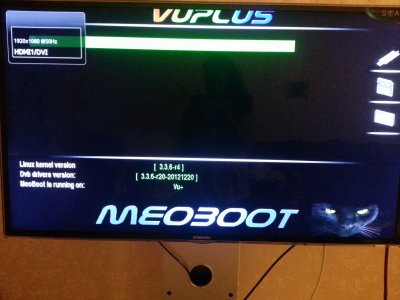
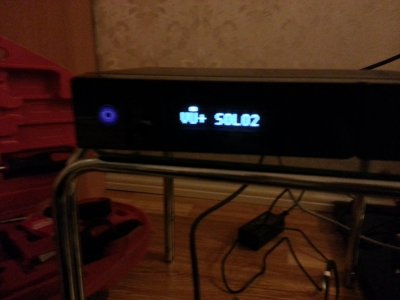
this program takes just NFI file and i dont know about this imageGoogle for Flash tool VU Util

Matrix10
Administrator
my problem is that meoboot is installed in the flash. therefor when i install a new image, solo2 will not boot from usb
Well solo 2 not boot from USB stick.
You should install image with/from USB stick.
I hope you hit PWR button when install from USB stick ??
==================================
Unplug all connected to a box.
1.FORMAT USB Stick on your PC FAT32
2.Unzip BH image
3.Copy all folders and files on the USB stick
3.switch box OFF
4.Flash with USB stick connected on FRONT USB connector (switch box on)
5. press PWR button
If not going try another USB stick
Can you send me link of a image with USB stick?Well solo 2 not boot from USB stick.
You should install image with/from USB stick.
I hope you hit PWR button when install from USB stick ??
==================================
Unplug all connected to a box.
1.FORMAT USB Stick on your PC FAT32
2.Unzip BH image
3.Copy all folders and files on the USB stick
3.switch box OFF
4.Flash with USB stick connected on FRONT USB connector (switch box on)
5. press PWR button
If not going try another USB stick
Past2Present
Vip
http://www.vuplus-community.net/board/threads/black-hole-vu-solo2-1-7-9-3.10182/
The only thing that you copy to the usb stick is the complete folder called: vuplus
After flashing the box don`t forget to remove the usb stick.
The only thing that you copy to the usb stick is the complete folder called: vuplus
After flashing the box don`t forget to remove the usb stick.
Fat 32HI..before you installed the VTI Image how did you format the usb stick?
Sorry, I formatted the usb from vu + box EX3 and on the first picture turned on but not vti. but I update image vti and after update box began to hang. it would not boot up. only bootingMistake....should have been ext3 from the flash image itself. There is a howto install meoboot in the How to section. You have probably corrupted the flash image.
i have done everything that you said to me, but it did not start, can you see the pictures i have posted earlier? it is on page 1Well solo 2 not boot from USB stick.
You should install image with/from USB stick.
I hope you hit PWR button when install from USB stick ??
==================================
Unplug all connected to a box.
1.FORMAT USB Stick on your PC FAT32
2.Unzip BH image
3.Copy all folders and files on the USB stick
3.switch box OFF
4.Flash with USB stick connected on FRONT USB connector (switch box on)
5. press PWR button
If not going try another USB stick
 pleas help me , can figure out a new way to start it. i have been trying it for 3 days and it wouldn't start
Thank you, but box don't flashing.http://www.vuplus-community.net/board/threads/black-hole-vu-solo2-1-7-9-3.10182/
The only thing that you copy to the usb stick is the complete folder called: vuplus
After flashing the box don`t forget to remove the usb stick.
Can you help me with Boot loaderSo I really do not know.
I also use MeoBoot at the moment and everything works fine.
I have already made so far at least twenty times images installation
and everything is OK.

a911
The BH Lover
Can you help me with Boot loader
Before U go further, try Vu+ original image for Solo2!
http://www.vuplus.com/
And do Quick format the USB (erase formatting) only!
Then extract zipped file directly to the USB!
If you tried it with different USB sticks
and do not go
Why you do not give/send the box back to dealer
to look at him or replacement.
I have a Garanti sticker on my box, if I take it off. I cant return my box. i did that, I took off the sticker and insert a hard disk.